


No products in the cart.

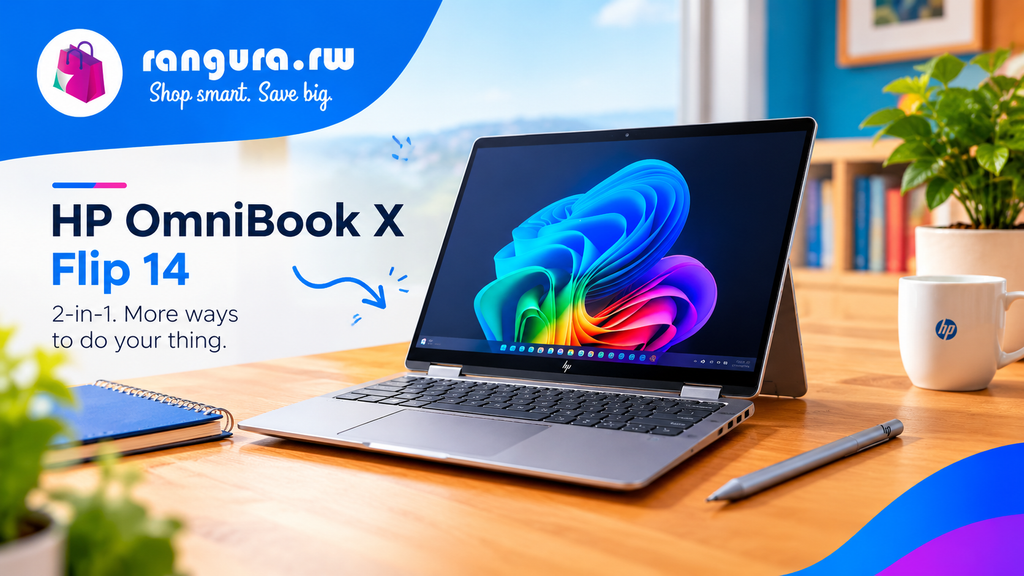
The HP OmniBook X Flip 14 is a premium-looking 2-in-1 laptop designed for users who want the flexibility of a traditional laptop and a tablet in one device. It combines a touchscreen OLED display, a 360-degree hinge, AMD Ryzen AI processing, and an included active stylus.
However, its attractive design comes with some compromises. Battery life, graphics performance, keyboard comfort, and portability may be concerns depending on how you plan to use the laptop.
HP OmniBook X Flip 14 at a Glance
The configuration reviewed here comes with an AMD Ryzen AI 7 350 processor, AMD Radeon 860M graphics, 32 GB of RAM, and a 1 TB SSD.
| Feature | HP OmniBook X Flip 14 |
|---|---|
| Display | 14-inch OLED touchscreen |
| Resolution | 2880 × 1800 |
| Processor | AMD Ryzen AI 7 350 |
| Graphics | AMD Radeon 860M |
| RAM | 32 GB |
| Storage | 1 TB SSD |
| Design | 2-in-1 convertible |
| Stylus | Active stylus included |
| Operating System | Windows 11 |
| AI Features | Copilot+ PC features |
| Weight | About 3.1 lb / 1.4 kg |
| Thickness | About 19 mm |
Design and Build Quality
The HP OmniBook X Flip 14 has a solid all-metal construction that gives it a premium feel. Its silver finish and understated branding create a clean and professional appearance.
At around 19 mm thick, it is not unusually thick for a 14-inch laptop, but its approximately 3.1-pound weight makes it feel somewhat heavy when used as a tablet.
One unusual design feature is the raised underside beneath the keyboard. It gives the laptop a distinctive appearance but also makes the device look thicker than its measurements suggest.
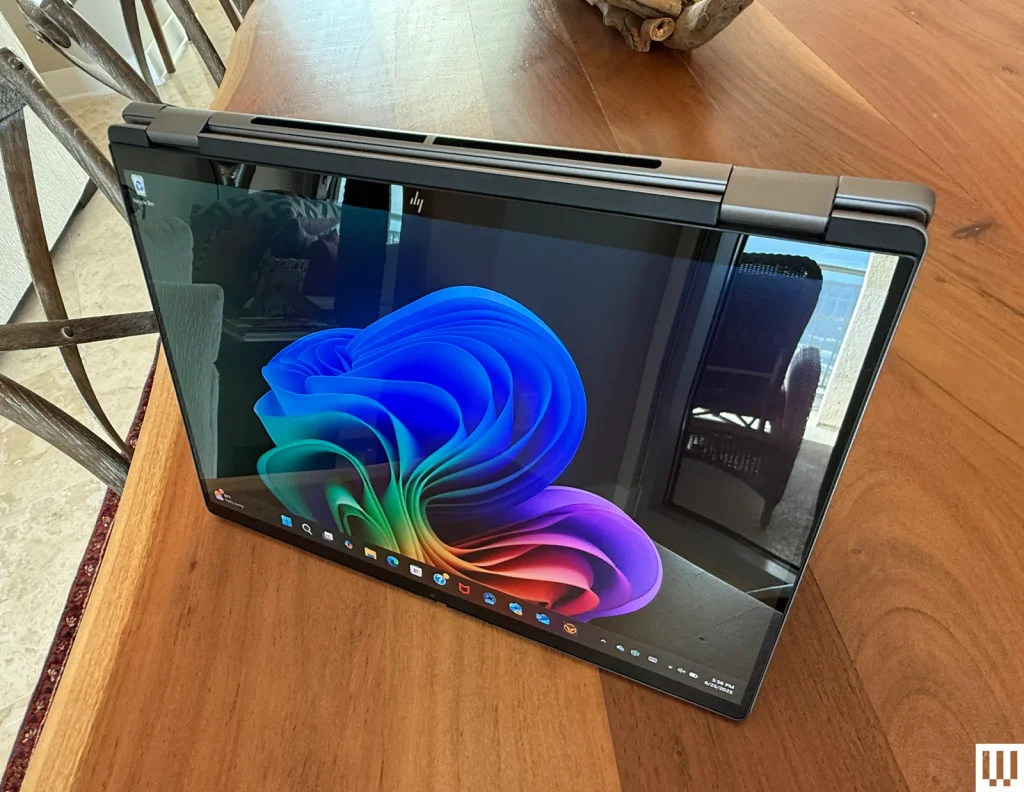
The 360-degree hinge is one of the stronger parts of the design. It allows the screen to be positioned as a traditional laptop, tablet, tent, or stand, while the hinge remains relatively stable when using the touchscreen.
14-Inch OLED Touchscreen
The 14-inch OLED display is one of the major attractions of the OmniBook X Flip 14.
With a 2880 × 1800 resolution, the screen provides sharp images and detailed text. The touchscreen also makes tablet mode and creative applications more convenient.
However, brightness is not one of the laptop’s strongest areas. Users who frequently work outdoors or in very bright environments may find the display less suitable than brighter alternatives.
For indoor productivity, entertainment, browsing, and general creative work, the high-resolution OLED panel provides an attractive viewing experience.
Keyboard: A Different Approach
HP takes an unusual approach to the keyboard.
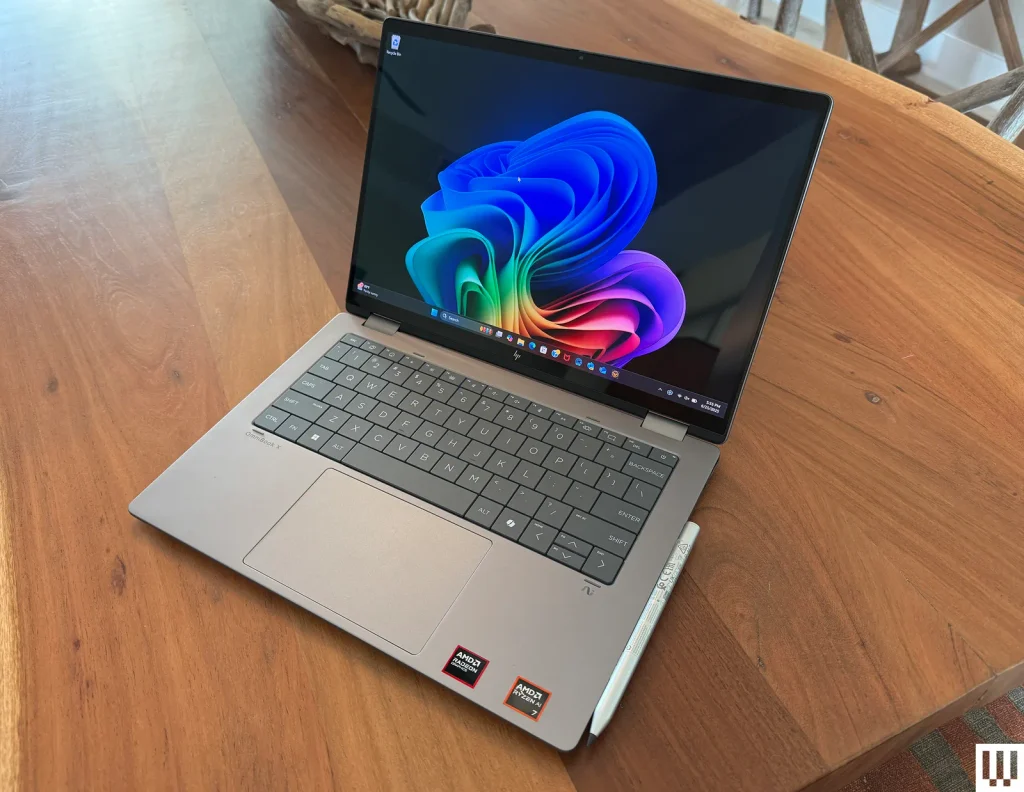
Instead of the conventional island-style keyboard found on most modern laptops, the keys sit closely together with very little separation.
The larger keys may initially appear comfortable, but the limited spacing can make touch typing more difficult. Users who type quickly may occasionally press two keys at once.
This design will ultimately come down to personal preference. People accustomed to conventional laptop keyboards may need some time to adjust.
Performance and AMD Ryzen AI 7
The configuration discussed here features an AMD Ryzen AI 7 350 processor with 32 GB of RAM and a 1 TB SSD.
For everyday computing, the laptop performs well. Tasks such as:
- Web browsing
- Microsoft Office
- Document creation
- Spreadsheets
- Video calls
- Multitasking
- Streaming
- General Windows applications
are well within its capabilities.
The large amount of RAM is particularly useful for people who regularly keep many browser tabs and applications open at the same time.
Graphics Performance
Graphics performance is a different story.
The integrated AMD Radeon 860M graphics are suitable for everyday computing and relatively light creative tasks, but this laptop is not designed to replace a dedicated gaming or workstation GPU.
Users interested in demanding 3D applications, intensive video production, advanced graphics work, or modern AAA gaming should consider a laptop with stronger dedicated graphics.
For basic photo editing, office work, web development, studying, and everyday productivity, the graphics hardware should be sufficient.
Battery Life
Battery life is one of the more significant weaknesses of the HP OmniBook X Flip 14.
Although convertible laptops are generally expected to provide good mobility, the battery performance of this model may not satisfy users who spend long periods away from a power outlet.
If you plan to use the laptop primarily at home, in an office, or near a charger, this may be less important. For frequent travelers and students who need all-day battery performance, however, battery life should be considered before purchasing.
AI and Copilot+ Features
The OmniBook X Flip 14 qualifies as a Copilot+ PC, bringing Microsoft’s newer Windows AI features to the device.
Features such as Cocreator and Live Captions with Translation can be useful for productivity and accessibility.
Microsoft’s Recall feature was also being tested on the reviewed system, although it was not successfully running during the testing described in the original review.
Because Windows AI features can change through software updates, buyers should check the current Windows and Copilot+ feature availability when purchasing.
Cooling and Fan Noise
The laptop’s cooling system can become noticeable under heavier workloads.
Fan noise is one of the compromises to consider, particularly if you expect to perform demanding tasks for extended periods.
For ordinary browsing, documents, email, and light productivity, this is less likely to be a major concern.
HP OmniBook X Flip 14: Pros and Cons
Pros
- Premium all-metal construction
- Flexible 2-in-1 design
- 14-inch high-resolution OLED touchscreen
- 360-degree hinge
- Active stylus included
- 32 GB RAM in the reviewed configuration
- 1 TB SSD
- Strong everyday application performance
- Copilot+ PC capabilities
- Good choice for productivity and general computing
Cons
- Battery life could be better
- Fan noise can become noticeable
- Keyboard layout may take time to get used to
- Display brightness is limited
- Integrated graphics are not ideal for demanding gaming
- Relatively heavy for a convertible laptop
- Not the best choice for intensive graphics workloads
Who Should Buy the HP OmniBook X Flip 14?
The HP OmniBook X Flip 14 can make sense for users who want a premium convertible laptop for productivity, studying, business, entertainment, and everyday computing.
Its touchscreen, 360-degree hinge, stylus support, high-resolution OLED panel, and strong RAM/storage configuration make it versatile for different workflows.
Students can use it for research, assignments, presentations, and entertainment. Professionals can use it for documents, spreadsheets, meetings, and multitasking. Creative users can take advantage of the touchscreen and stylus for lighter design and editing tasks.
Who Should Look Elsewhere?
This may not be the right type of laptop for users whose priorities are:
- Long battery life
- Serious gaming
- Heavy 3D rendering
- Professional GPU-intensive applications
- Maximum portability
- Extremely quiet operation
A laptop with a dedicated graphics card or a lighter ultrabook may be more appropriate for those requirements.
HP OmniBook X Flip 14 Price
The price of the HP OmniBook X Flip 14 can vary significantly depending on configuration, retailer, promotions, and location.
When comparing prices, pay attention to the processor, RAM, SSD capacity, display configuration, and included accessories rather than comparing model names alone.
For buyers in Rwanda, it is also worth checking the final landed price, warranty, seller reputation, availability of replacement parts, and after-sales support before purchasing.
Final Thoughts
The HP OmniBook X Flip 14 combines a premium metal design, OLED touchscreen, flexible 2-in-1 functionality, modern AMD Ryzen AI processing, and generous memory and storage.
Its main compromises are battery life, graphics performance, keyboard design, fan noise, and weight.
Overall, it is best understood as a versatile productivity-focused convertible rather than a gaming or high-performance graphics laptop.
If your priority is a flexible touchscreen laptop for work, school, browsing, entertainment, and everyday productivity, the OmniBook X Flip 14 is worth considering. If your priority is intensive gaming, demanding graphics work, or maximum battery endurance, compare it with other laptops before making a purchase
SEO setup for Rangura.rw
SEO title:
HP OmniBook X Flip 14 Review: Specs, Price, Performance & Pros and Cons
Meta description:
HP OmniBook X Flip 14 review covering its OLED touchscreen, Ryzen AI 7 350 processor, 32GB RAM, 1TB SSD, graphics performance, battery life, price, pros and cons.
Suggested URL slug:/hp-omnibook-x-flip-14-review
Primary keyword:HP OmniBook X Flip 14
Secondary keywords:
- HP OmniBook X Flip 14 review
- HP OmniBook X Flip 14 price
- HP OmniBook X Flip 14 specifications
- HP OmniBook X Flip 14 performance
- HP OmniBook X Flip 14 battery life
- HP 2-in-1 laptop
- HP OLED laptop
- Ryzen AI 7 350 laptop
- HP convertible laptop
- Copilot+ PC laptop
- best 2-in-1 laptops
Suggested image alt text:HP OmniBook X Flip 14 2-in-1 laptop with OLED touchscreen